%20--%3e%3csvg%20version='1.1'%20id='Layer_1'%20xmlns='http://www.w3.org/2000/svg'%20xmlns:xlink='http://www.w3.org/1999/xlink'%20x='0px'%20y='0px'%20viewBox='0%200%20539.85%2069'%20style='enable-background:new%200%200%20539.85%2069;'%20xml:space='preserve'%3e%3cstyle%20type='text/css'%3e%20.st0{fill-rule:evenodd;clip-rule:evenodd;fill:url(%23SVGID_1_);}%20.st1{fill-rule:evenodd;clip-rule:evenodd;fill:url(%23SVGID_00000059298475550241562130000016819491931466679940_);}%20.st2{fill:%23000333;}%20%3c/style%3e%3cg%20id='ICON'%3e%3clinearGradient%20id='SVGID_1_'%20gradientUnits='userSpaceOnUse'%20x1='2.43'%20y1='29.3039'%20x2='82.2338'%20y2='29.3039'%3e%3cstop%20offset='0'%20style='stop-color:%237C3BED'/%3e%3cstop%20offset='1'%20style='stop-color:%23EB4799'/%3e%3c/linearGradient%3e%3cpath%20class='st0'%20d='M82.23,28.39V12.01c0-5.87-4.76-10.64-10.64-10.64H13.07c-5.89,0-10.64,4.76-10.64,10.64V46.6%20c0,5.88,4.76,10.64,10.64,10.64h42.56c-2.5-3.33-3.99-7.48-3.99-11.97c0-11.02,8.93-19.95,19.95-19.95%20C75.51,25.31,79.15,26.44,82.23,28.39L82.23,28.39z%20M52.69,29.3L35.68,39.94V18.66L52.69,29.3L52.69,29.3z'/%3e%3clinearGradient%20id='SVGID_00000085930236355220650180000003311295726160247989_'%20gradientUnits='userSpaceOnUse'%20x1='56.9626'%20y1='49.2549'%20x2='92.8743'%20y2='49.2549'%3e%3cstop%20offset='0'%20style='stop-color:%237C3BED'/%3e%3cstop%20offset='1'%20style='stop-color:%23EB4799'/%3e%3c/linearGradient%3e%3cpath%20style='fill-rule:evenodd;clip-rule:evenodd;fill:url(%23SVGID_00000085930236355220650180000003311295726160247989_);'%20d='%20M83.3,54.04l8.84,9.35c1.01,1.07,0.96,2.75-0.1,3.76s-2.75,0.96-3.76-0.1l-8.89-9.4c-2.26,1.42-4.93,2.25-7.8,2.25%20c-8.08,0-14.63-6.55-14.63-14.63s6.55-14.63,14.63-14.63s14.63,6.55,14.63,14.63C86.22,48.56,85.14,51.59,83.3,54.04L83.3,54.04z%20M71.59,54.58c5.14,0,9.31-4.17,9.31-9.31s-4.17-9.31-9.31-9.31s-9.31,4.17-9.31,9.31S66.45,54.58,71.59,54.58L71.59,54.58z'/%3e%3c/g%3e%3cg%3e%3cpath%20class='st2'%20d='M135.18,26.57c0-10.52-7.44-16.1-19.45-16.1c-10.81,0-18.05,5.38-18.05,12.62c0,17.11,28.44,10.94,28.44,22.01%20c0,3.83-3.96,6.3-9.58,6.3c-6.52,0-10.34-3.35-10.34-8.79h-9.19c0,11.15,7.85,16.18,19.73,16.18c10.87,0,18.44-5.44,18.44-13.69%20c0-17.04-28.72-11.88-28.72-21.87c0-4.03,4.9-5.43,9.34-5.43c6.1,0,10.33,3.41,10.33,8.78H135.18z%20M173.51,58.11h8.84V11.14h-8.64%20v32.33h-0.35l-22.67-32.33h-9.34L173.51,58.11z%20M141.77,58.11h8.79V35.09l-8.79-12.55V58.11z%20M215.57,11.14h-11.48l-16.84,46.97%20h9.8l12.49-37.23h0.66l13.36,37.23h10.46L215.57,11.14z%20M257.44,42.2c12.08,0,17.04-7.37,17.04-15.97%20c0-8.45-4.31-15.09-17.04-15.09h-18.53v7.92h16.98c6.45,0,9.06,2.54,9.06,7.44s-3.15,7.79-8.99,7.79h-17.04v23.82h9.06V42.2H257.44%20z%20M280.04,58.11h9.21V39.05h23.08v-8.12h-23.08v-11h25.42v-8.79h-34.63V58.11z%20M319.77,19.93h76.56v-8.79h-76.56V19.93z%20M373.18,25.91v32.2h9.06v-32.2H373.18z%20M354.52,38.79v-8.33h-34.76v8.33H354.52z%20M319.77,58.11h34.76v-8.86h-34.76V58.11z%20M421.22,58.78c13.35,0,20.59-7.85,22.14-17.59h-9.19c-1.55,5.84-6.32,9.67-13.23,9.67c-9.19,0-15.03-8.12-15.03-16.91%20c0-9.25,6.52-15.51,14.9-15.51c7.98,0,12.14,4.5,13.49,10.06h9.06c-1.34-11.53-10.41-18.05-23.14-18.05%20c-14.3,0-23.14,10.81-23.14,24.15C397.07,47.91,405.19,58.78,421.22,58.78z%20M463.16,37.85h19.93v20.26h9.06V11.14h-9.06v18.11%20h-19.93V37.85z%20M449.92,58.11H459V11.14h-9.07V58.11z%20M501.26,58.11h9.06V41.53h10.54l8.78,16.58h10.21l-10.94-18.11%20c5.69-2.82,8.25-8.99,8.25-14.02c0-9.47-5.91-14.83-16.51-14.83h-19.38v7.92h18.38c6.04,0,8.99,2.47,8.99,7.11%20c0,4.97-3.48,7.85-8.92,7.85h-18.44V58.11z'/%3e%3c/g%3e%3cg%3e%3c/g%3e%3cg%3e%3c/g%3e%3cg%3e%3c/g%3e%3cg%3e%3c/g%3e%3cg%3e%3c/g%3e%3cg%3e%3c/g%3e%3c/svg%3e)
How to Download Vimeo Videos
Vimeo is where the high-quality video lives — independent films, documentaries, agency reels, and course content — but most creators leave the download button switched off. This guide shows you how to save any public Vimeo video as an MP4 in its original quality.
Vimeo matters for one reason other social platforms don't: its source resolution is usually genuine. While TikTok and Instagram re-encode uploads aggressively, Vimeo often keeps a true 1080p — sometimes 1440p or 4K — master. So when you download from Vimeo, 'highest quality' actually means something, which is exactly why people want a reliable way to do it.
Technically, Vimeo serves video through signed master.json playlists. SnapFetchr probes that manifest, enumerates every rendition Vimeo publicly exposes — progressive MP4, HLS variants, and any higher 1440p/2160p tiers — and grabs the best one that's publicly accessible. There's no Vimeo Pro upgrade, desktop app, or plugin involved.
Be clear on the boundary, though: this works for public videos only. Private videos, password-protected videos, and Vimeo On Demand (paid, DRM-protected titles) are intentionally locked, and SnapFetchr does not bypass authentication or DRM. The steps below cover everything that is publicly available.
Step-by-Step: How to Download Vimeo Videos
Find the Vimeo video
Open the public video you want. Hosted videos use the vimeo.com/<numeric_id> pattern; embedded players on third-party sites use player.vimeo.com/video/<numeric_id> — both resolve to the same source. If the video is private, password-protected, or On Demand, it can't be downloaded.
Copy the video URL
Copy the URL from the address bar (e.g. vimeo.com/123456789). If you're on a page that embeds a Vimeo player, click the Vimeo logo in the player to open it on Vimeo, or right-click the video → Copy Vimeo URL, or pull the player.vimeo.com/video/<id> link from the page source.
Paste into SnapFetchr
Open SnapFetchr, paste either URL format into the input field, and press Fetch Video. The tool reads Vimeo's manifest and lists every quality variant it exposes — typically 360p, 540p, 720p, 1080p, and occasionally 1440p or 2160p.
Choose quality and download
Pick the highest resolution available and download. The MP4 saves with the original audio and aspect ratio — to your Downloads folder on desktop, or via Files → Downloads → Share → Save Video on iPhone. Files run larger here than on social platforms because the bitrate is genuinely higher.
Getting the highest quality: 1080p, 1440p, and 4K
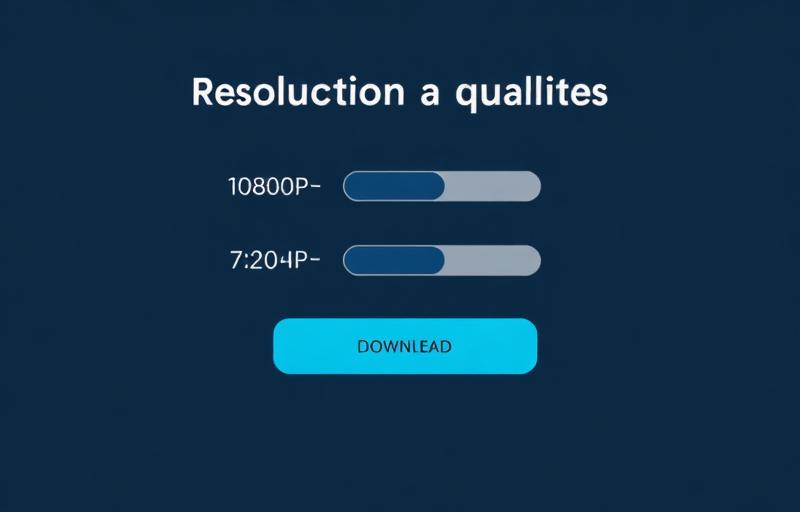
Because Vimeo preserves high-bitrate masters, the quality menu is worth reading carefully. Most public videos cap at 1080p, but when a creator uploaded in 4K and the manifest exposes that tier publicly, you can pull 2160p. SnapFetchr lists exactly what the manifest offers and never upscales, so a 4K option only appears when a real 4K source exists.
One caveat: some videos serve their top resolution only to logged-in Pro viewers. If the player shows 1080p but the public manifest caps at 540p, you're seeing the gated rendition — SnapFetchr serves what's publicly accessible, which is occasionally lower than the authenticated stream.
Downloading Vimeo embeds and Showcase videos
Embedded players are common on agency sites, course platforms, and blogs. To download one, find the underlying Vimeo URL: click the Vimeo logo in the player to open the video on Vimeo, or right-click → Copy Vimeo URL, or view page source and copy the player.vimeo.com/video/<id> link. Any of those formats works in SnapFetchr.
Vimeo Showcase pages (curated playlists) are a frequent trip-up. A Showcase URL like vimeo.com/showcase/<id>/video/<numeric_id> wraps the real video — copy the inner numeric-ID URL, not the Showcase wrapper. The same applies to channel pages, which use vimeo.com/<channel-name>/<numeric_id>.
Downloading Vimeo on mobile and desktop
Desktop is the natural home for Vimeo downloads, since most high-quality Vimeo content is watched on larger screens and the files are sizeable. Copy the URL, paste, fetch, pick 1080p (or higher), and the MP4 lands in your Downloads folder ready for Premiere, Resolve, or any editor.
On mobile it works just as well: paste the vimeo.com link into SnapFetchr in Safari (iPhone) or Chrome (Android), fetch, and download. On iPhone, finish with Files → Downloads → Share → Save Video. Just remember that a 1080p Vimeo file can run 50–500 MB depending on length and bitrate, so use Wi-Fi.
Troubleshooting
'This video is private'
The creator restricted access. Private Vimeo videos require authentication, which SnapFetchr doesn't bypass — only public videos work.
'Password required'
Same restriction. Password-protected videos are locked at the source and can't be downloaded.
A Vimeo On Demand title fails
On Demand (paid) titles are DRM-protected and intentionally undownloadable. This is Vimeo policy, not a tool limit.
Max quality is 540p when the player shows 1080p
That 1080p is likely a Pro-only, logged-in rendition. The public manifest caps lower, and SnapFetchr serves what's publicly accessible.
Common Mistakes to Avoid
Pasting a Showcase wrapper URL
Use the inner vimeo.com/<numeric_id> link, not the vimeo.com/showcase/... wrapper, or the download won't resolve.
Expecting On Demand films to download
Paid On Demand titles are DRM-protected by design — no public downloader can access them.
Grabbing a low rendition by default
Vimeo often has a genuine 1080p or 4K master. Check the full quality list before downloading the first option.
Downloading large files on mobile data
High-bitrate Vimeo MP4s can be hundreds of megabytes. Use Wi-Fi to avoid burning your data allowance.