%20--%3e%3csvg%20version='1.1'%20id='Layer_1'%20xmlns='http://www.w3.org/2000/svg'%20xmlns:xlink='http://www.w3.org/1999/xlink'%20x='0px'%20y='0px'%20viewBox='0%200%20539.85%2069'%20style='enable-background:new%200%200%20539.85%2069;'%20xml:space='preserve'%3e%3cstyle%20type='text/css'%3e%20.st0{fill-rule:evenodd;clip-rule:evenodd;fill:url(%23SVGID_1_);}%20.st1{fill-rule:evenodd;clip-rule:evenodd;fill:url(%23SVGID_00000059298475550241562130000016819491931466679940_);}%20.st2{fill:%23000333;}%20%3c/style%3e%3cg%20id='ICON'%3e%3clinearGradient%20id='SVGID_1_'%20gradientUnits='userSpaceOnUse'%20x1='2.43'%20y1='29.3039'%20x2='82.2338'%20y2='29.3039'%3e%3cstop%20offset='0'%20style='stop-color:%237C3BED'/%3e%3cstop%20offset='1'%20style='stop-color:%23EB4799'/%3e%3c/linearGradient%3e%3cpath%20class='st0'%20d='M82.23,28.39V12.01c0-5.87-4.76-10.64-10.64-10.64H13.07c-5.89,0-10.64,4.76-10.64,10.64V46.6%20c0,5.88,4.76,10.64,10.64,10.64h42.56c-2.5-3.33-3.99-7.48-3.99-11.97c0-11.02,8.93-19.95,19.95-19.95%20C75.51,25.31,79.15,26.44,82.23,28.39L82.23,28.39z%20M52.69,29.3L35.68,39.94V18.66L52.69,29.3L52.69,29.3z'/%3e%3clinearGradient%20id='SVGID_00000085930236355220650180000003311295726160247989_'%20gradientUnits='userSpaceOnUse'%20x1='56.9626'%20y1='49.2549'%20x2='92.8743'%20y2='49.2549'%3e%3cstop%20offset='0'%20style='stop-color:%237C3BED'/%3e%3cstop%20offset='1'%20style='stop-color:%23EB4799'/%3e%3c/linearGradient%3e%3cpath%20style='fill-rule:evenodd;clip-rule:evenodd;fill:url(%23SVGID_00000085930236355220650180000003311295726160247989_);'%20d='%20M83.3,54.04l8.84,9.35c1.01,1.07,0.96,2.75-0.1,3.76s-2.75,0.96-3.76-0.1l-8.89-9.4c-2.26,1.42-4.93,2.25-7.8,2.25%20c-8.08,0-14.63-6.55-14.63-14.63s6.55-14.63,14.63-14.63s14.63,6.55,14.63,14.63C86.22,48.56,85.14,51.59,83.3,54.04L83.3,54.04z%20M71.59,54.58c5.14,0,9.31-4.17,9.31-9.31s-4.17-9.31-9.31-9.31s-9.31,4.17-9.31,9.31S66.45,54.58,71.59,54.58L71.59,54.58z'/%3e%3c/g%3e%3cg%3e%3cpath%20class='st2'%20d='M135.18,26.57c0-10.52-7.44-16.1-19.45-16.1c-10.81,0-18.05,5.38-18.05,12.62c0,17.11,28.44,10.94,28.44,22.01%20c0,3.83-3.96,6.3-9.58,6.3c-6.52,0-10.34-3.35-10.34-8.79h-9.19c0,11.15,7.85,16.18,19.73,16.18c10.87,0,18.44-5.44,18.44-13.69%20c0-17.04-28.72-11.88-28.72-21.87c0-4.03,4.9-5.43,9.34-5.43c6.1,0,10.33,3.41,10.33,8.78H135.18z%20M173.51,58.11h8.84V11.14h-8.64%20v32.33h-0.35l-22.67-32.33h-9.34L173.51,58.11z%20M141.77,58.11h8.79V35.09l-8.79-12.55V58.11z%20M215.57,11.14h-11.48l-16.84,46.97%20h9.8l12.49-37.23h0.66l13.36,37.23h10.46L215.57,11.14z%20M257.44,42.2c12.08,0,17.04-7.37,17.04-15.97%20c0-8.45-4.31-15.09-17.04-15.09h-18.53v7.92h16.98c6.45,0,9.06,2.54,9.06,7.44s-3.15,7.79-8.99,7.79h-17.04v23.82h9.06V42.2H257.44%20z%20M280.04,58.11h9.21V39.05h23.08v-8.12h-23.08v-11h25.42v-8.79h-34.63V58.11z%20M319.77,19.93h76.56v-8.79h-76.56V19.93z%20M373.18,25.91v32.2h9.06v-32.2H373.18z%20M354.52,38.79v-8.33h-34.76v8.33H354.52z%20M319.77,58.11h34.76v-8.86h-34.76V58.11z%20M421.22,58.78c13.35,0,20.59-7.85,22.14-17.59h-9.19c-1.55,5.84-6.32,9.67-13.23,9.67c-9.19,0-15.03-8.12-15.03-16.91%20c0-9.25,6.52-15.51,14.9-15.51c7.98,0,12.14,4.5,13.49,10.06h9.06c-1.34-11.53-10.41-18.05-23.14-18.05%20c-14.3,0-23.14,10.81-23.14,24.15C397.07,47.91,405.19,58.78,421.22,58.78z%20M463.16,37.85h19.93v20.26h9.06V11.14h-9.06v18.11%20h-19.93V37.85z%20M449.92,58.11H459V11.14h-9.07V58.11z%20M501.26,58.11h9.06V41.53h10.54l8.78,16.58h10.21l-10.94-18.11%20c5.69-2.82,8.25-8.99,8.25-14.02c0-9.47-5.91-14.83-16.51-14.83h-19.38v7.92h18.38c6.04,0,8.99,2.47,8.99,7.11%20c0,4.97-3.48,7.85-8.92,7.85h-18.44V58.11z'/%3e%3c/g%3e%3cg%3e%3c/g%3e%3cg%3e%3c/g%3e%3cg%3e%3c/g%3e%3cg%3e%3c/g%3e%3cg%3e%3c/g%3e%3cg%3e%3c/g%3e%3c/svg%3e)
How to Download Pinterest Videos
Pinterest is brilliant for inspiration but frustrating when you want to keep a clip — there's no save button on the pin, and most tools choke on pin.it short links or multi-frame Idea Pins. This guide shows you how to save any public Pinterest video as a clean MP4.
Pinterest has moved well beyond static images: cooking demos, DIY tutorials, fitness routines, and travel clips are some of its most engaging content. But the platform offers no real download — the in-app 'Download' only stores a pin inside Pinterest, and the share sheet hands you a pin.it short link that many downloaders reject because they don't follow redirects.
Pinterest videos are hosted on v.pinimg.com, the same CDN it uses for image pins, and ship as standard MP4 (H.264 video, AAC audio). SnapFetchr resolves pin.it short links server-side, locates that MP4, and pulls the highest resolution the pin offers — with no Pinterest sign-in, no app, and no branding added to the file.
The flow is identical across iOS, Android, ChromeOS, Windows, macOS, and Linux. The only thing to keep in mind is that many Pinterest videos are uploaded as silent auto-loop clips, so a soundless download is often the source, not an error — more on that below.
Step-by-Step: How to Download Pinterest Videos
Find the Pinterest video pin
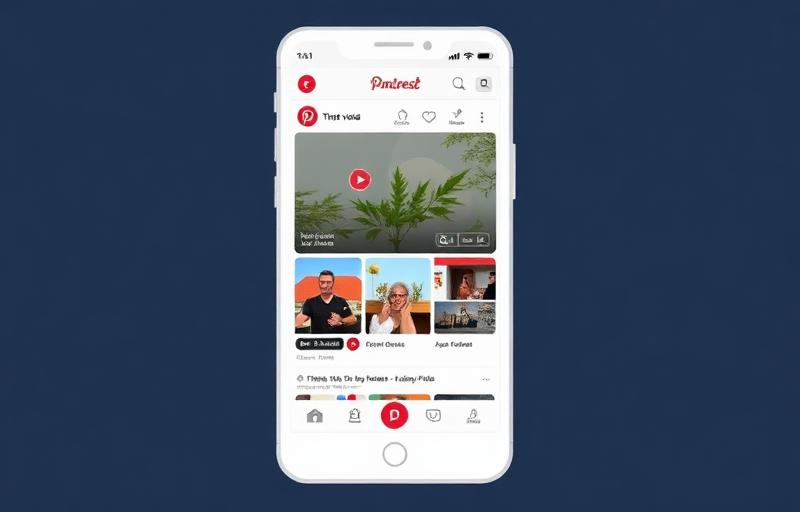
Open the video pin or Idea Pin you want in the Pinterest app or on pinterest.com. Make sure it's public — pins on private (secret) boards won't work. Standard video pins save as a single MP4; Idea Pins are multi-page and only their video pages can be extracted.
Copy the pin URL
In the app, tap the share arrow → Copy Link, which gives a pin.it/xxxxx short link. On the web, copy the pinterest.com/pin/<id>/ URL from the address bar. Both formats work — SnapFetchr also resolves m.pinterest.com and pinterest.app.link, and strips tracking parameters automatically.
Paste into SnapFetchr
Open SnapFetchr, paste the link into the input field, and press Fetch Video. The tool resolves the short link, finds the video stream on v.pinimg.com, and pulls the highest-quality MP4 the pin exposes.
Download the video
Tap download to save the MP4 — to your Downloads folder on desktop and Android, or via Files → Downloads → Share → Save Video on iPhone to reach the Camera Roll. The file is ready for any media player or editor, with no watermark.

Video Pins vs. Idea Pins: what you can save
Standard video pins are single, auto-looping clips in the feed — SnapFetchr saves each as one MP4, the simplest case. Watch-tab clips use the same pinterest.com/pin/ URL pattern and the same workflow. These are what most people mean by 'a Pinterest video', and they download cleanly.
Idea Pins (formerly Story Pins) are different: they're multi-page pins that can mix video, photos, and text overlays across several frames. SnapFetchr extracts the video segments, but photo-only and text-only pages have no video stream to pull, so they're skipped. If the frame you want is a still, screenshot it instead — there's no MP4 hiding behind a photo page.
Why your Pinterest video might be silent
A huge share of Pinterest videos are uploaded as silent auto-loop clips by design — recipe steps, craft demos, and aesthetic b-roll often have no audio track at all. So if your download is silent, the first thing to check is the original: look for the speaker icon on the pin. If it's muted on Pinterest, the file will be muted too, and that's the source, not a download fault.
When a pin does have audio, the MP4 you download includes it. There's nothing to merge or toggle the way there is on Reddit — Pinterest delivers a single combined stream, so the sound (when it exists) comes along automatically.
Downloading Pinterest videos on mobile and desktop
Mobile is where most Pinterest browsing happens, so the pin.it short link is the path you'll use most. On iPhone, copy it from the share arrow, paste into SnapFetchr in Safari, fetch, then save into Camera Roll via Files → Downloads → Share → Save Video. On Android, Chrome drops the MP4 into /Downloads where Google Photos plays it immediately.
On desktop, open the pin and copy the pinterest.com/pin/<id>/ URL from the address bar — the cleanest form. Paste, fetch, and the MP4 saves to your Downloads folder. If you ever copy a link from a Pinterest email, it'll carry ?utm_source=…&epik=… tracking parameters; SnapFetchr strips them, but you can also delete everything from the ? onward manually.
Troubleshooting
'Invalid URL' when pasting a pin.it short link
Some downloaders reject short links because they don't follow redirects. SnapFetchr resolves pin.it server-side; if it still fails, open the link in a browser, copy the resolved pinterest.com/pin/<id>/ URL, and paste that.
An Idea Pin only downloads one frame
Only the video pages of an Idea Pin can be saved as MP4. Photo and text pages are skipped — screenshot those instead.
The downloaded video has no audio
Pinterest hosts many silent auto-loop clips. Check the speaker icon on the original pin — if it's silent there, the file will be too.
'Pin not found'
The pin may be deleted, its board switched to private, or it's geo-restricted. Test the URL in an incognito window — if it won't load there, it can't be downloaded.
Common Mistakes to Avoid
Expecting image pins to download as video
SnapFetchr is video-only. For a static image pin, right-click → Save Image in any browser instead.
Assuming a silent clip is a download error
Most Pinterest videos are intentionally silent. Confirm with the speaker icon on the original before assuming something broke.
Pasting an email link with tracking junk
Tracking parameters (utm_source, epik) can confuse some tools. SnapFetchr strips them, but the clean pinterest.com/pin/<id>/ form is safest.
Trying to save a secret-board pin
Pins on private (secret) boards aren't publicly accessible and can't be downloaded. Only public pins work.